Artifact Types
A repository can hold images, Helm charts and OCI indexes side by side. This page explains what each type is, and why an entry behaves differently when you tag, scan or pull it.
Types of Artifacts
When you open a repository in a project, you will see a list of the available artifacts: items stored in the same repository.
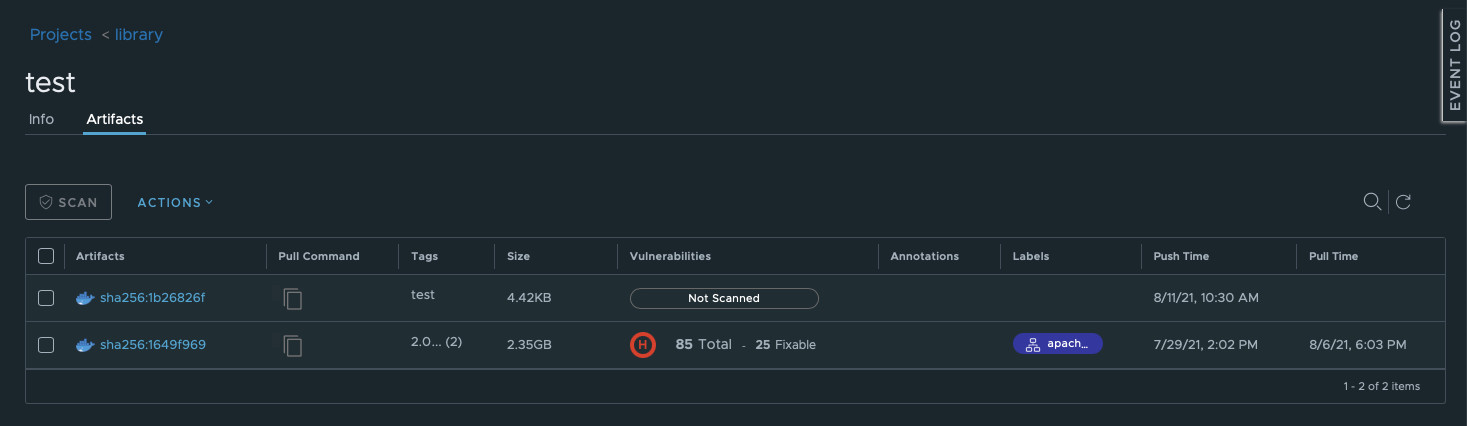
The following types of artifacts are possible:
- Images: items with the Docker whaleship icons;
- Helm charts: items with the “Helm” icon;
- OCI indexes: items with the three-bubbled icon on the left and a folder icon on the right.
What are OCI indexes and why do you need them?
Some images may be gathered in lists using the OCI index.
In general, every Docker image has a manifest: information about its layers, size, digest, as well as for which operating system and type of CPU architecture it was built, etc.
Images are only templates that do not change. The changes are stored in the image layers. In Harbor, you can create manifest lists that are basically lists of the layers of the same image.
Manifest lists appear in Container Registry as artifacts with a folder icon. When you click on the icon, the entire list of the image manifests will be displayed.
Refer to the official Docker documentation to create a manifest list using your command line tool.
SHA256 Hash
The artifacts are named using a SHA256 hash. A hash can be described as a key or a representation of a text message. It is similar to encryption but it can be decrypted into the original message easily.
SHA256 hashes refer to the JSON file that keeps the image manifest and are generated when the image is compressed for being pushed. Since such compression is also a kind of change, a new image layer is created during this preparation for a push. Consequently, this layer needs a new manifest that is pushed to a repository. Further, the manifest is written in a new JSON file. Eventually, this file becomes its own new unique hash.

To display the type of the artifact as well as its complete hash, hover over one of them respectively:
Displaying artifact type:

Displaying artifact hash:
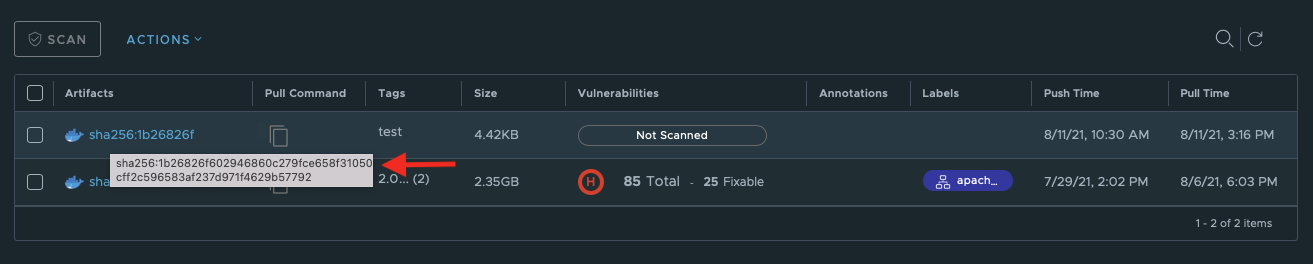
You do not need to memorize the hash, though. It can be copied into clipboard.