UAA Authentication
A user authentication and authorization server issues access tokens for your application to make it able to access another application: in this case, your Container Registry instance. You can configure a UAA server by yourself or select a provider that will set up for you a UAA instance. This instance will generate a token every time the user identity was confirmed – the user was authenticated – to enable user authorization that allows the user to perform certain actions in the system he was successfully logged in to.
Most of the UAA providers work with either SAML 2.0, OAuth 2.0, or LDAP protocols. The setups may vary. Please refer to the official documentation of your selected provider.
Prerequisites
To configure the UAA authentication mode in Container registry, you will need:
- a UAA endpoint;
- a UAA client ID;
- a UAA client secret.
Steps
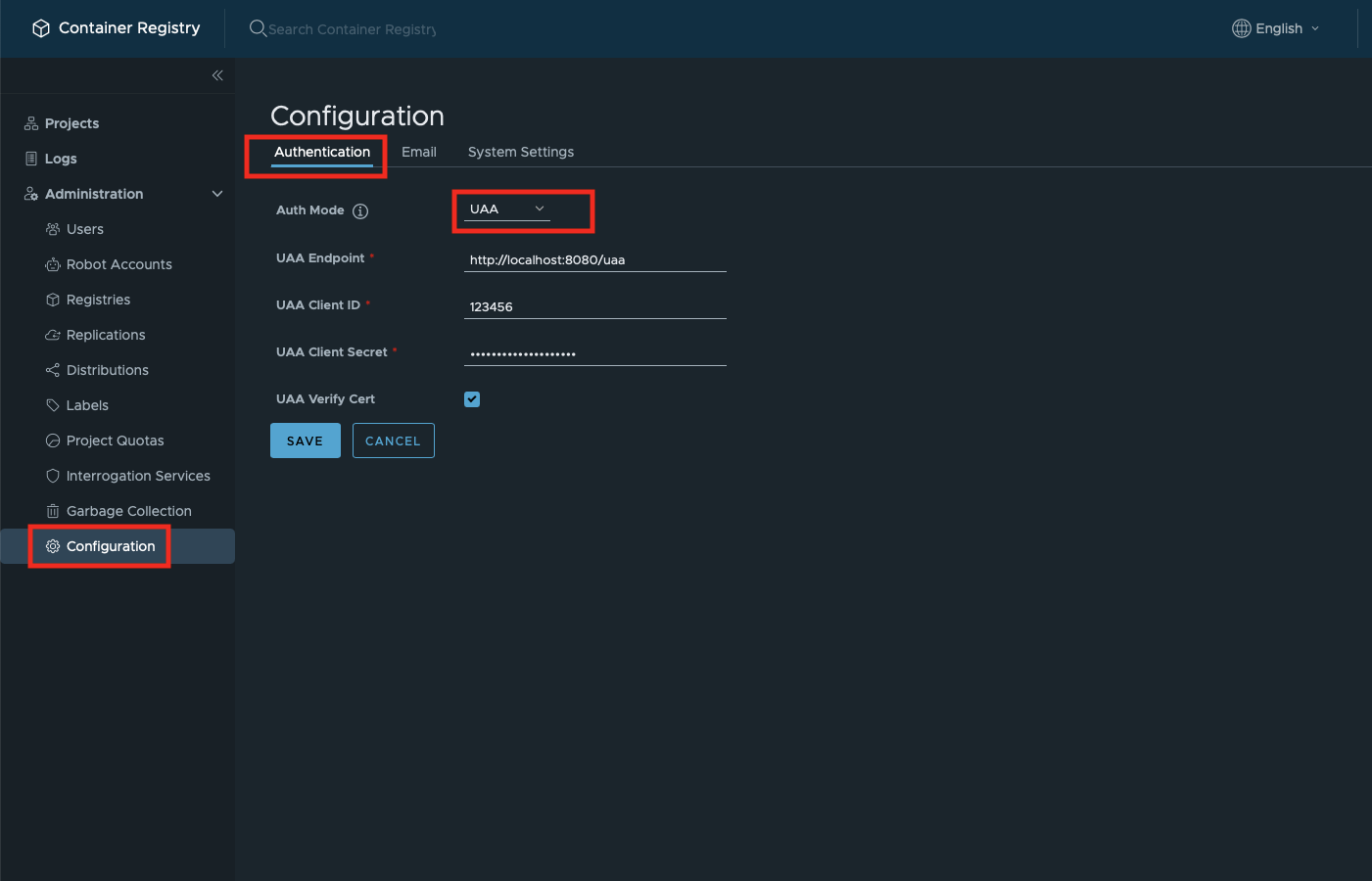
- Go to the navigation pane on the left side of the GUI;
- Select Administration;
- Click on Configuration;
- Select Authentication tab;
- In Auth Mode, in the dropdown, select UAA;
- Fill in the form;
- Tick the checkbox if your endpoint has a trusted certificate;
- Click Save.
Command-Line Access for Non-Admin Users
In UAA authentication mode, non-administrator users cannot authenticate to the registry from the Docker/OCI command line with their UAA password. Basic authentication with the UAA password is processed only for the built-in admin (superuser) account in this mode; for every other user — including UAA users who hold the Harbor system-administrator role — it is skipped, so a docker login with the UAA password will not succeed.
Affected users should use a robot account for docker login and other command-line operations. A system robot account can be provisioned by an administrator for cross-project access; within a single project, a project robot account works as well. Logging in to the web console with the UAA password is not affected.