Manage Project Quotas
Set the storage a project may use. For what counts against that limit, see Project Quotas.
Changing Project Quotas
If you are a system administrator of your Container Registry instance, you will be able to set project quotas during the creation of new projects. For the projects created by other users of your instance, you can adjust quotas afterward or specify a default storage quota.
Set Default Storage Quota Per Project
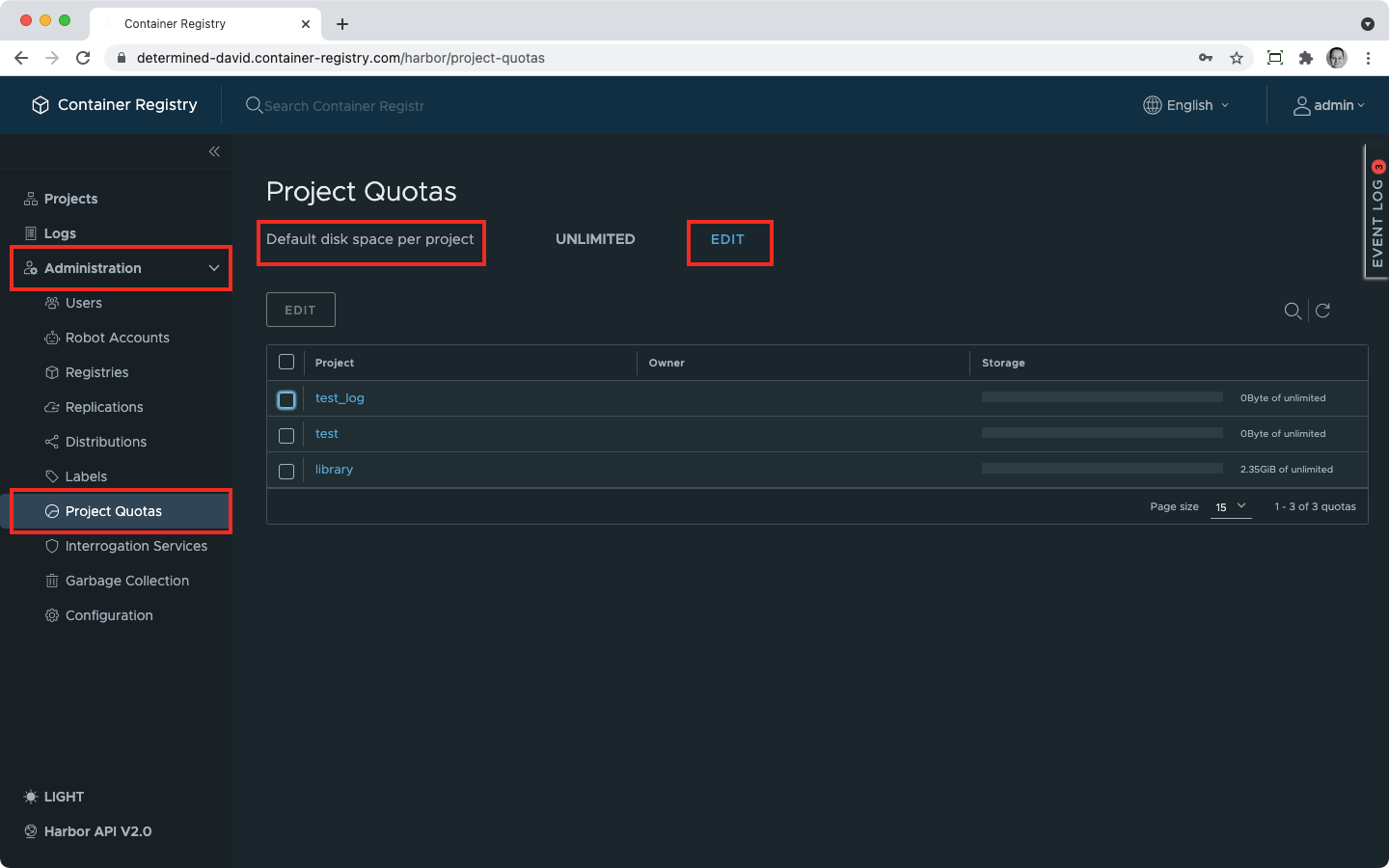
- In the navigation pane, expand Administration;
- Find Default disk space per project und click Edit next to it:
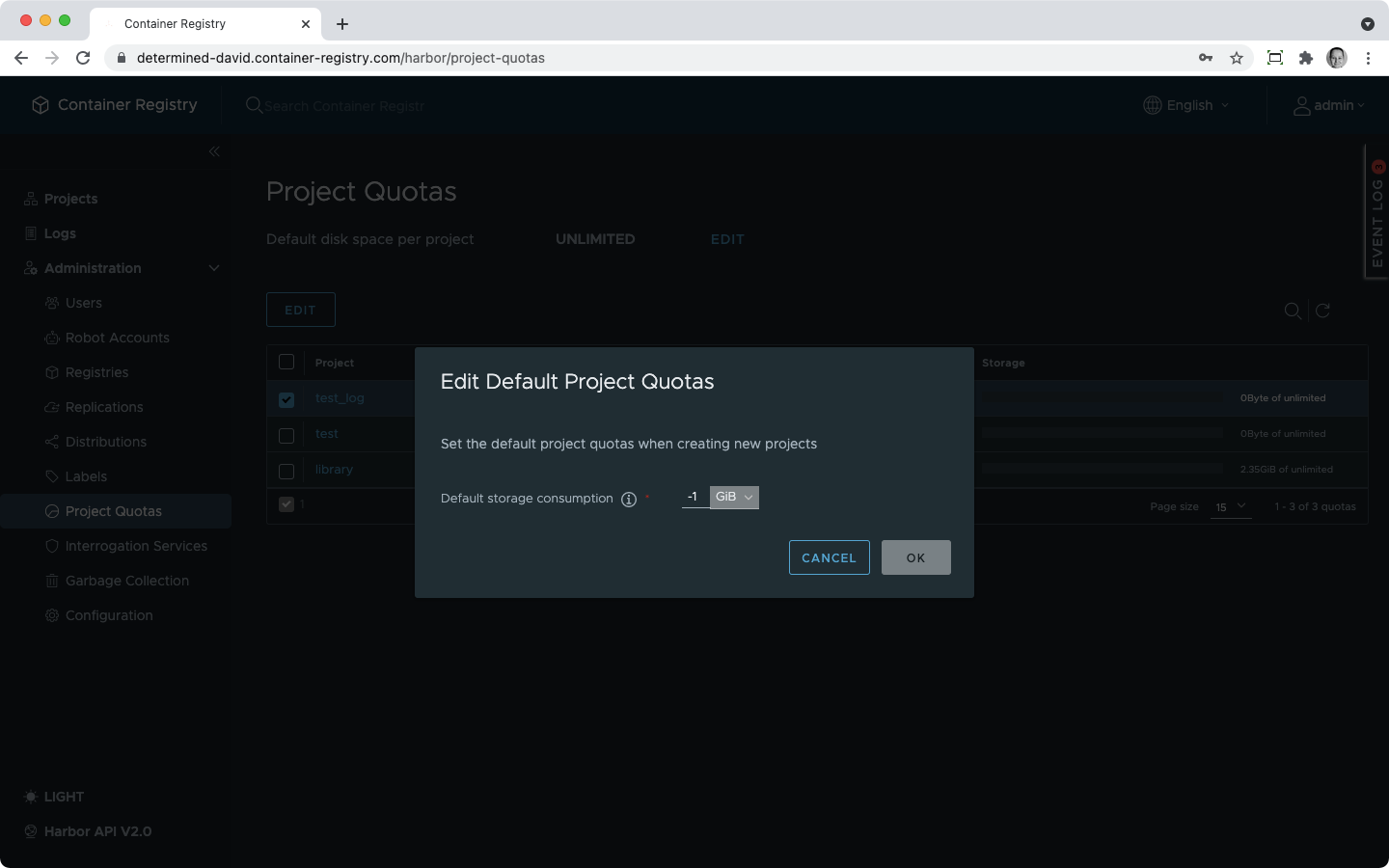
- Choose the volume measure from the dropdown;
- Type in the amount of storage you need;
- Set it at -1 for unlimited storage.
Change Quotas for Existing Projects
- In the navigation pane, expand Administration;
- Click Project Quotas;
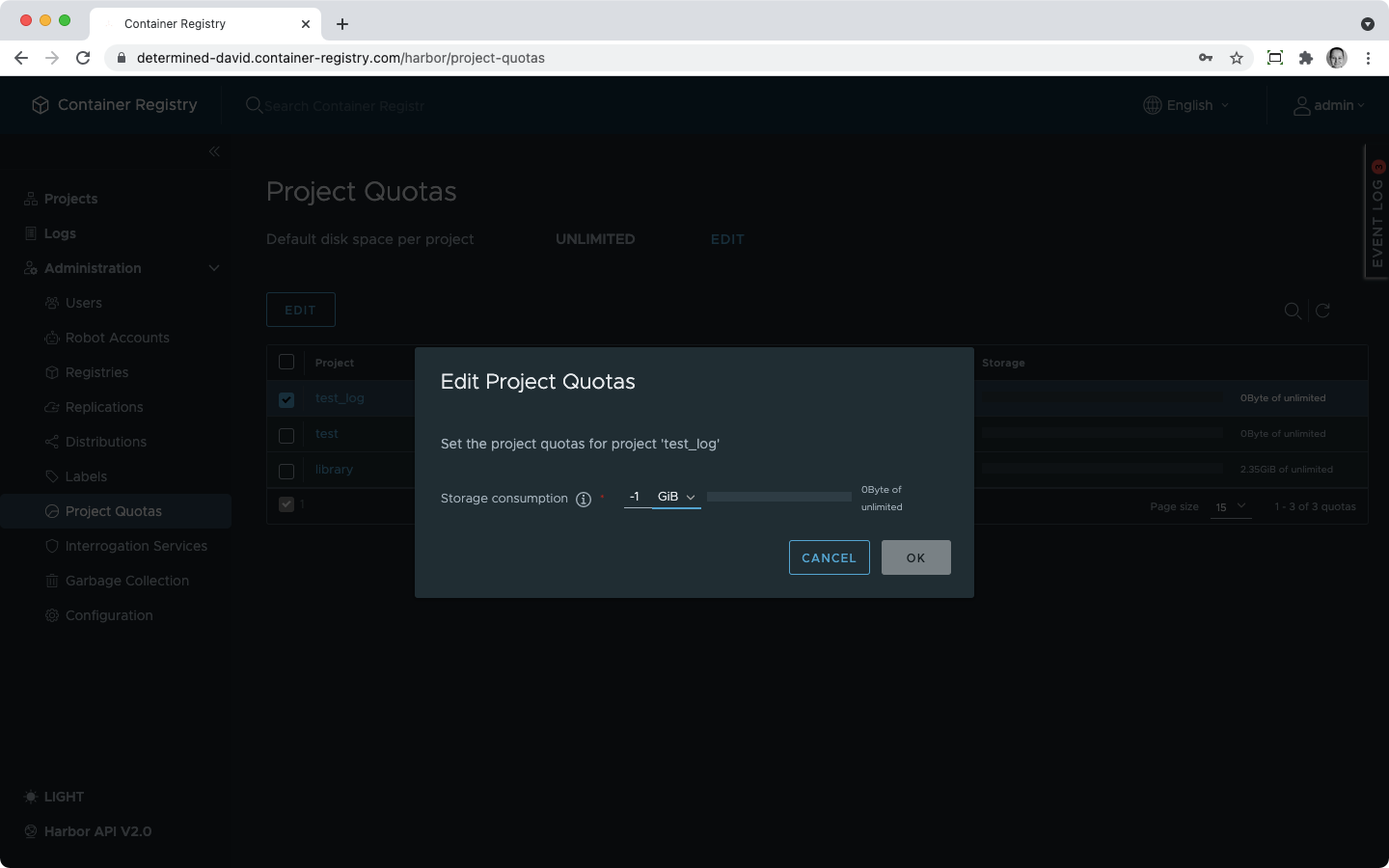
- In the project list, select a checkbox next to the project you want to change the quota for;
- Click Edit;
- Select the volume measure from the dropdown;
- Enter the amount of storage you need;
- Set it at -1 for unlimited storage.

When you change the default project quota and there are some existing projects in the instance, that won’t change their storage quotas.